

I Got Claude Code to Build My Entire SEO Strategy
How two free tools gave Claude Code the power to research keywords, analyse competitors and hand me a content plan in 20 minutes.

Hey there!
Welcome back to NoCode SaaS. This is the newsletter where I take you along for the ride of building and scaling a software business without code using AI.
This week I want to show you something that felt like magic when I first tried it.
I got Claude Code to build me an entire SEO strategy. It researched my competitors, analysed keywords, looked at what content is ranking, and came back with a prioritised plan of exactly what pages I should add to my website to improve my search rankings.
All backed by real data. And it took about 20 minutes!
But before I get into how I did it, I want to talk about why I think this stuff matters so much right now.
The Shift That’s Happening
No-code made building software easy. AI is making it even easier.
When anyone can spin up an app in a weekend, the hard part isn’t building anymore. It’s getting people to notice what you’ve built.
Capturing attention is becoming the most important skill for indie founders. Marketing is the bottleneck now.
If I’m being honest, marketing is my least favourite thing to do. I’d much rather be building features than writing blog posts or figuring out SEO. But as a solo founder, you don’t get to just ignore it.
So the holy grail for me is getting Claude Code to help run marketing autonomously.
I want a marketing team of agents instead of a bunch of employees I have to manage. A team that can help me grow my app without needing to hire anyone. I’ve been actively experimenting with ways to do this using Claude Code and tools like OpenClaw.
MCPs are a big part of that story. They’re how you give Claude Code the ability to actually do things. Research keywords. Check rankings. Analyse competitors. Post content. All of it.
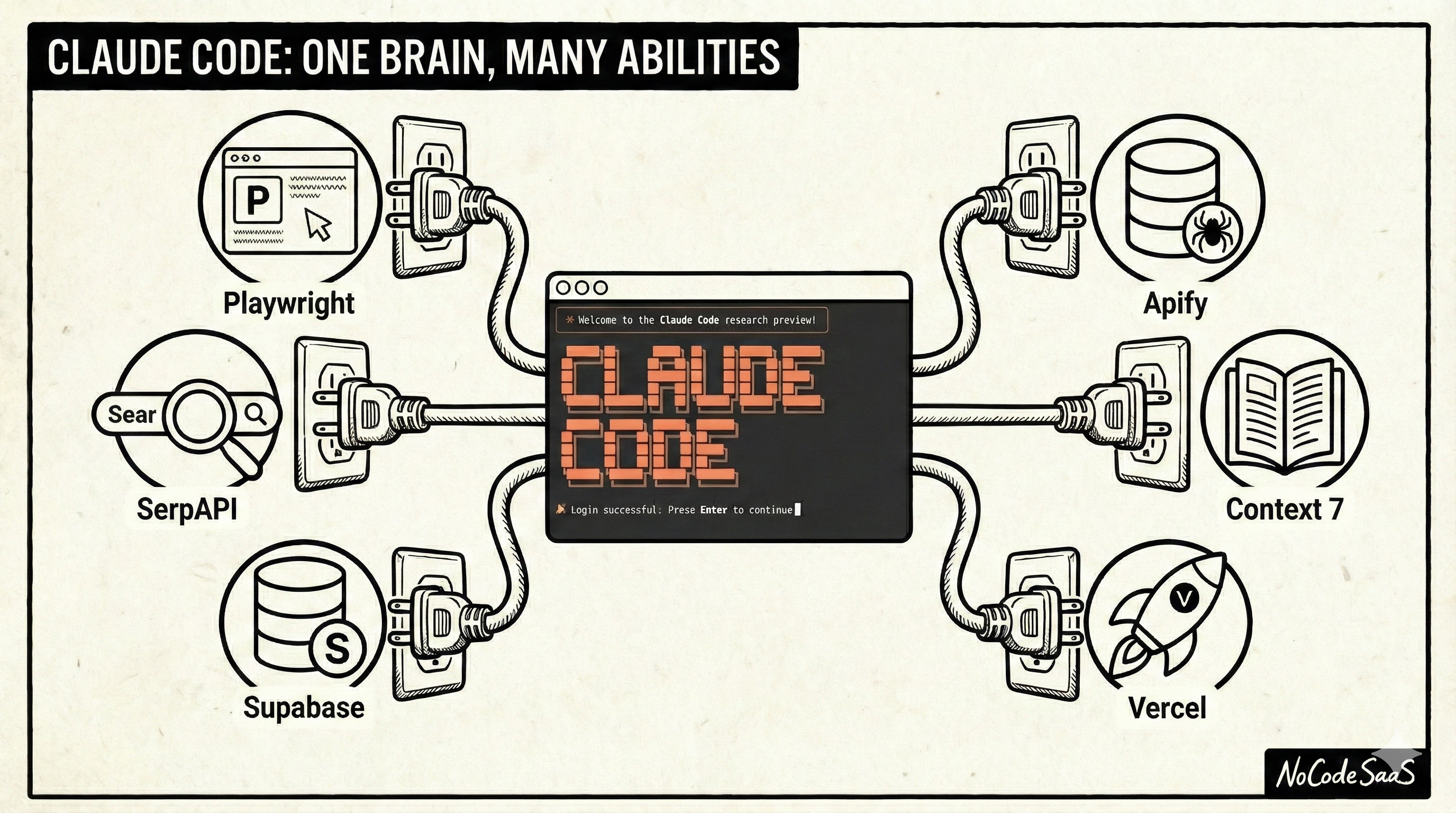
If you haven’t tried Claude Code yet, or you’ve been intimidated by it, this is a really good way in. It’s pretty easy to set up. You don’t need to be technical.
I’ll walk you through the whole thing step by step below. And by the end you’ll have something genuinely useful - an AI-generated SEO plan based on real data.
Over the next few months I’m going to cover a lot of the MCPs and tools I’m using in Claude Code (and remember, I’m not a developer!)
They’re giving it capabilities we couldn’t have even imagined last year for building software. This week we’re starting with two that completely changed how I think about SEO.
What Are MCPs?
MCP stands for Model Context Protocol. But you don’t really need to remember that. Just think of them as tools you give to Claude Code that it can decide when and how to use. You can read more about MCPs in the official documentation.
Here’s what makes them different from something like a Bubble plugin or an API connection. With those, you’re in control. You set up the connection, you decide when it fires, you tell it exactly what to do.
With MCPs, you’re giving Claude Code a capability and letting it figure out when to use it. You say “I want an SEO strategy for my website” and Claude decides: okay, I need to crawl the site first, then I need to research keywords, then I need to compare them. It picks the right tools for the job and chains them together.
I really realised Claude Code was an unbelievable tool once I added the Supabase MCP. I’ve written about Supabase before, but this really suprised me with just how easy it made things.
I was working on a project and Claude just went off and completely configured the database for me. Set up the tables, configured the security rules, linked it all up to my project.
It was amazing to watch it work.
Claude Code on its own is incredibly clever. But it can’t see the full web. It can’t check how your site is ranking on Google. It can’t browse your competitors’ websites. It can’t update your database. MCPs unlock all of that.
The really nice thing is that setting them up is way easier than you’d think. Most of the time you’re just adding a line to a config file. No coding required. I’ll show you exactly how below.
The Two MCPs I Used
For this SEO project I used two different MCPs together.
Playwright
Playwright is an MCP that gives Claude Code a real browser it can control. It can visit websites, click around, read content, basically do anything you can do in Chrome.
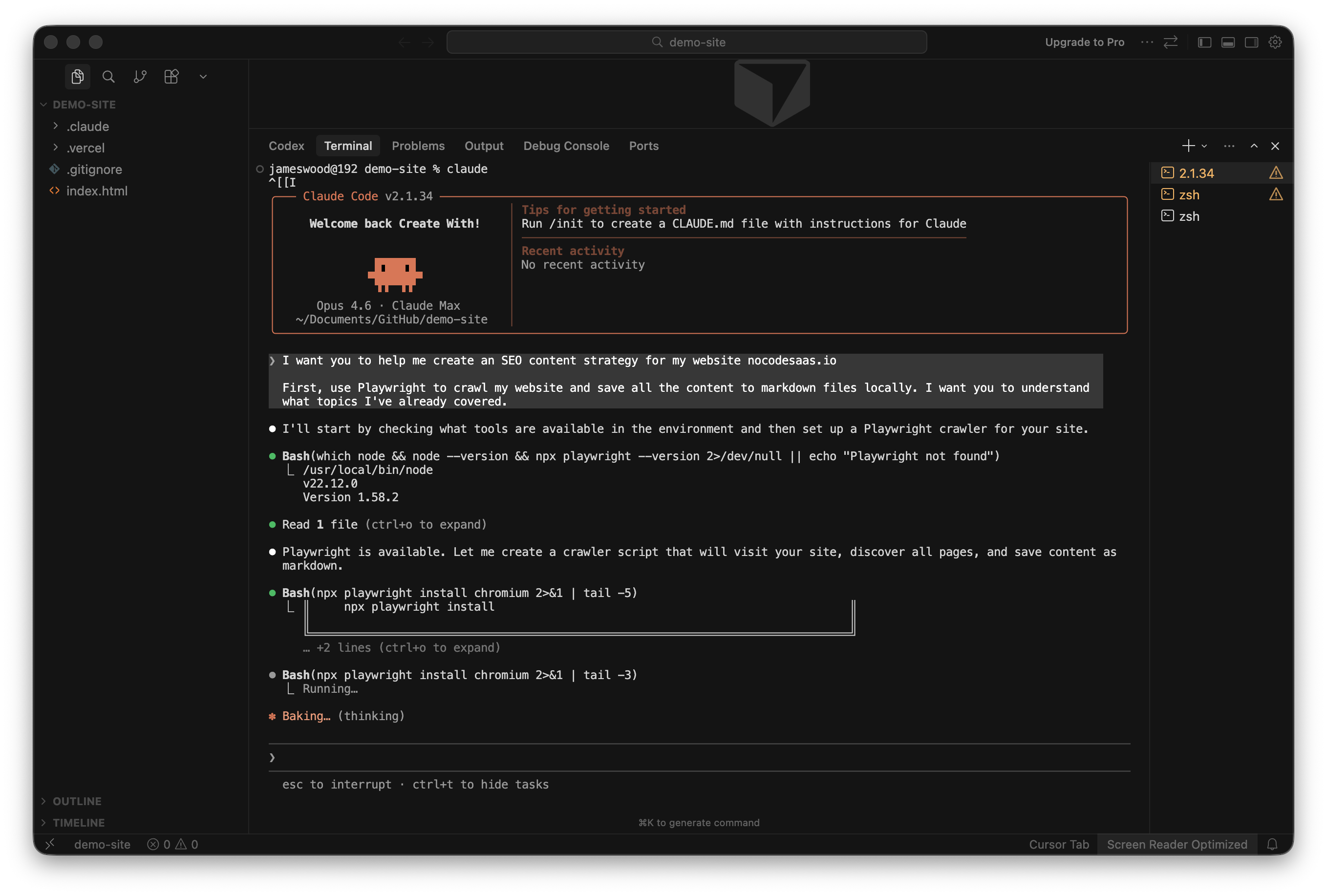
I used it to fetch my entire website. Claude visited every page on my site, grabbed all the content, saved it to markdown files, downloaded the images, and built a complete local copy of my site structure. By the end of it, Claude had full context of everything I’ve already published. Every blog post, every landing page, sitemaps etc.
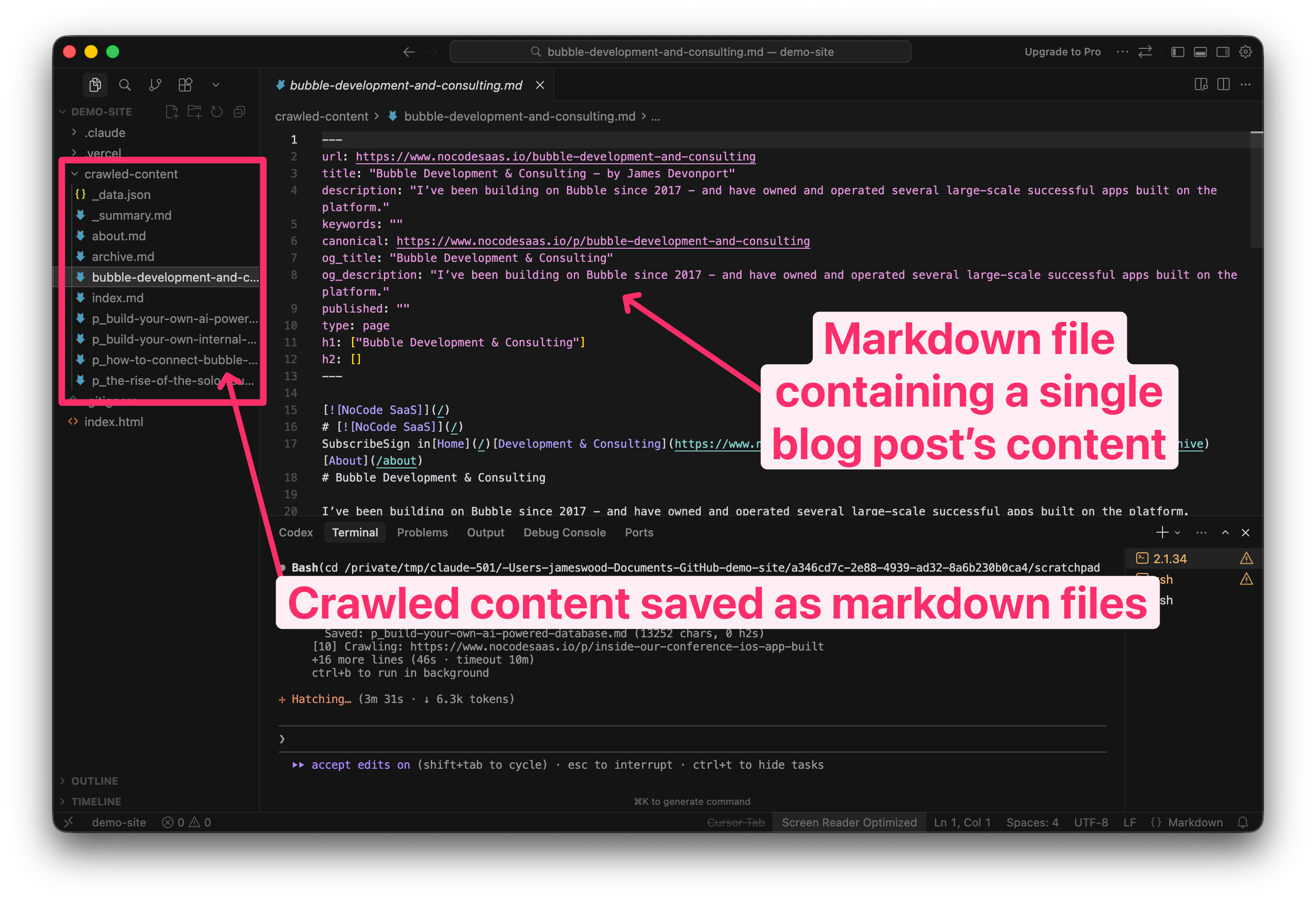
This is important because Claude needs to know what content you already have before it can tell you what’s missing.
SerpAPI
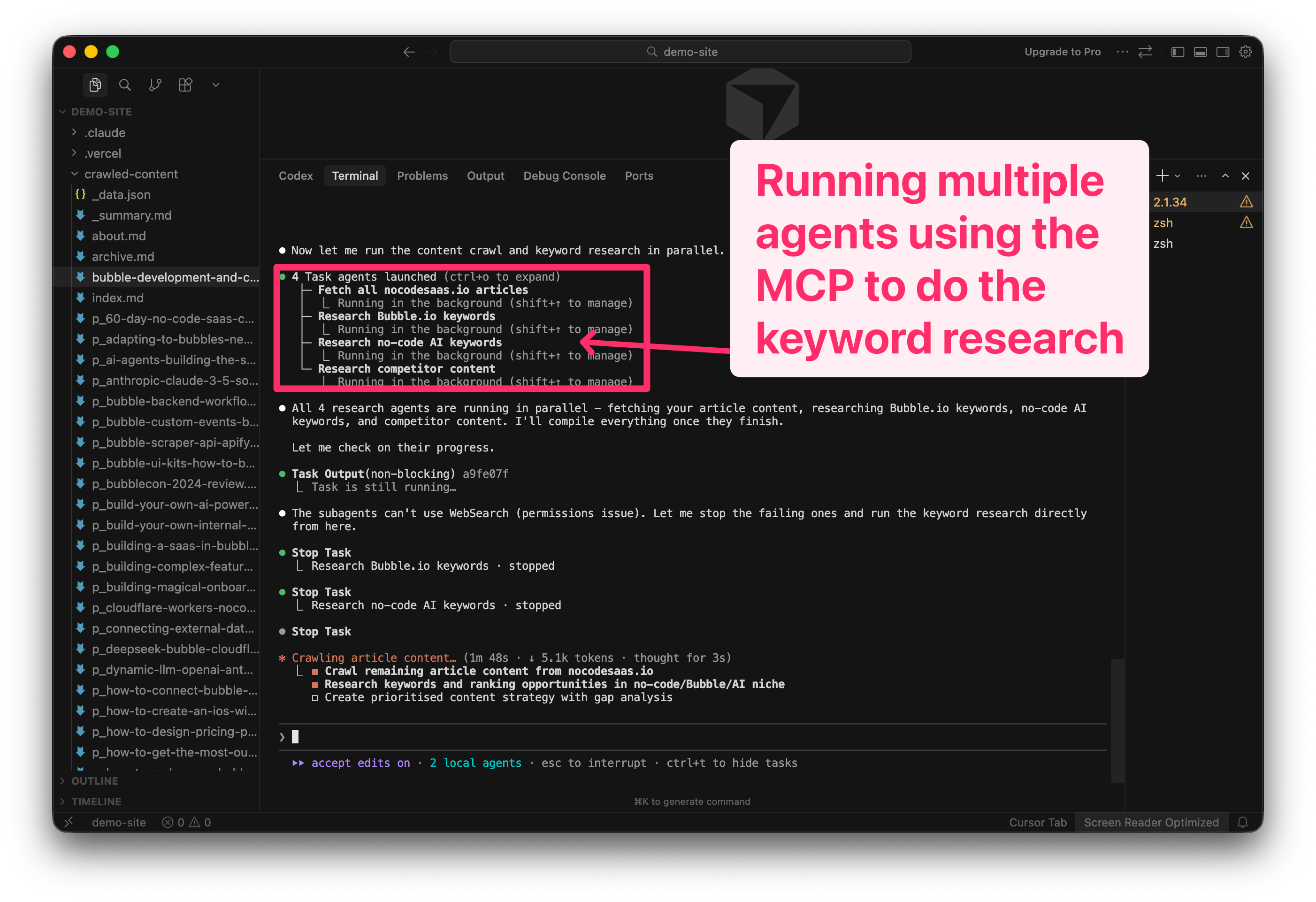
This is the star of the show. SerpAPI gives Claude Code access to live search engine data. And I mean everything… Google search results, autocomplete suggestions, related keywords, what your competitors are ranking for, news results, shopping results.
Basically all the stuff you’d normally pay hundreds of pounds a month for with tools like Ahrefs or SEMrush.
They have a free tier which is more than enough to test this out and see if it’s useful for you. And setting it up is super simple. You literally just add a URL to your Claude Code config with your API key in it. That’s it.
Once it’s connected, you can just ask Claude things like “what keywords could my site rank for?” or “what are my competitors ranking for that I’m not?” and it will go off and actually research it using real search data.
How To Set This Up (Step by Step)
Here’s exactly how to get this working. It’s easier than you’d think.
Step 1: Get Claude Code Running
If you don’t already have Claude Code installed, head to claude.ai/code and follow the setup instructions. You’ll need a Claude Pro or Max subscription.
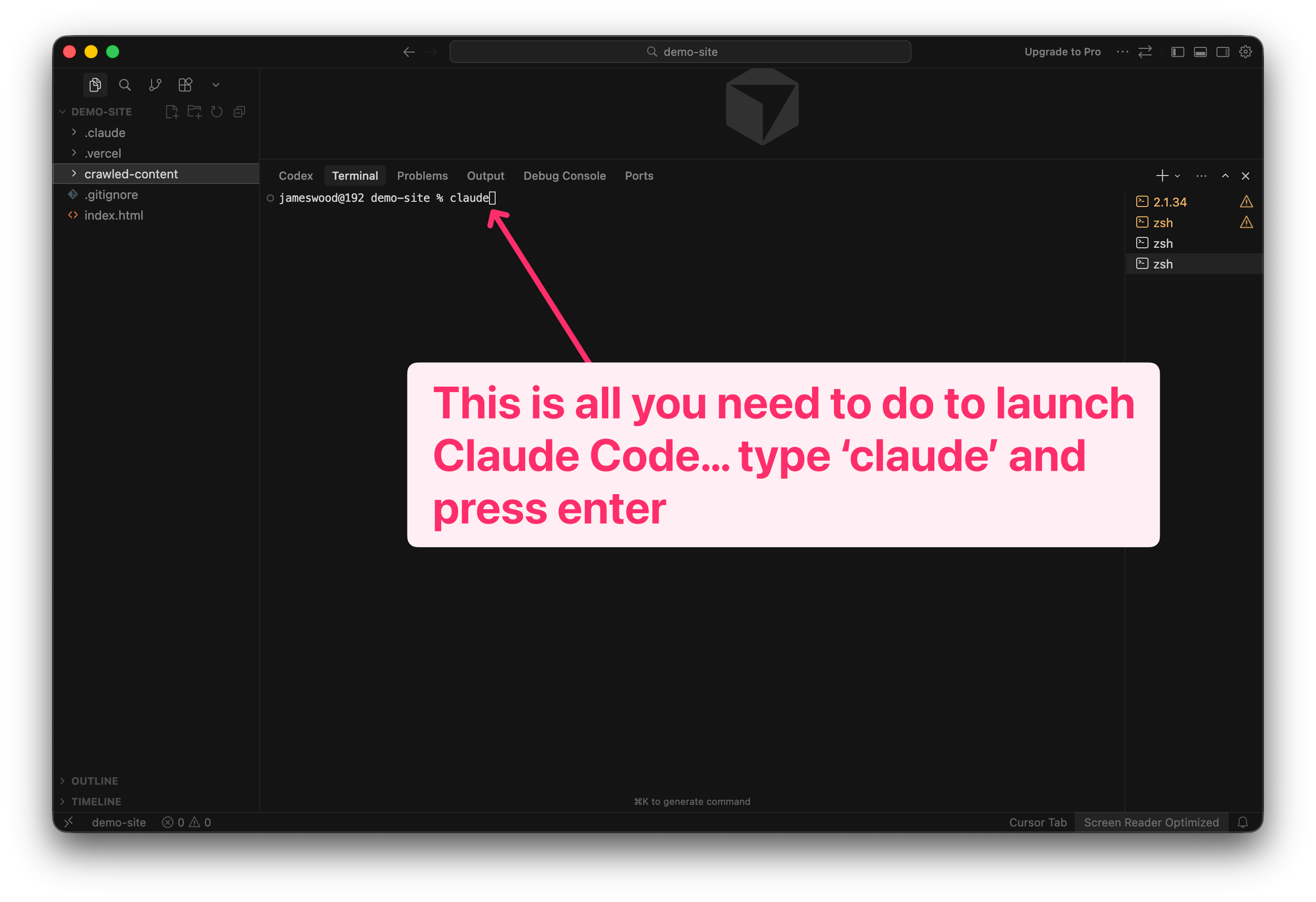
Once it’s installed, open your terminal and type
claude to start it up.
Step 2: Install the Playwright MCP
In your terminal, run this command:
claude mcp add playwright -- npx @anthropic-ai/mcp-server-playwright
That’s it. Playwright is now connected to Claude Code.
Step 3: Set Up SerpAPI
First, head to serpapi.com and create a free account. Once you’re in, grab your API key from the dashboard.
Now add the SerpAPI MCP to Claude Code. The easiest way is to use their hosted version. Run this command, replacing YOUR_API_KEY with your actual key:
claude mcp add serpapi --url https://mcp.serpapi.com/YOUR_API_KEY/mcp
You can find more details on the SerpAPI MCP integration page.
Step 4: Verify Your MCPs Are Connected
You can check that both MCPs are working by asking Claude Code to list its available tools. Just type:
What MCPs do you have access to?
You should see both Playwright and SerpAPI listed.
Step 5: Run the SEO Analysis
Now for the fun part. Here’s the prompt I used to kick off the whole workflow:
I want you to help me create an SEO content strategy for my website [YOUR WEBSITE URL].

First, use Playwright to crawl my website and save all the content to markdown files locally. I want you to understand what topics I've already covered.

Then use SerpAPI to research keywords in my niche. Look at what's ranking, what questions people are asking, and what my competitors are covering.

Finally, compare my existing content against the opportunities you find. Give me a prioritised list of new pages I should create, with the keyword, estimated search volume, and why I have a chance of ranking.
Claude will take a few minutes to crawl your site and run the keyword research. You’ll see it working through everything in the terminal.
And that’s it. You’ll get back a full SEO content plan based on real search data.
The next step is to get Claude Code to actually implement it’s recommendations and make all the SEO improvements itself, I’ll cover this in the future.
Coming Up: More MCPs
This is just the start. Over the next few months I’m going to cover the MCPs that have become essential to how I build:
Supabase for database operations directly from Claude Code. Super useful for setting up backends and managing data. If you’ve read my previous posts on Supabase + Bubble, you’ll love what the MCP can do.
Apify for web scraping and automation at scale. When Playwright isn’t enough and you need to scrape thousands of pages. I’ve covered using Apify with Bubble before but the MCP integration is even more powerful.
Context7 which gives Claude Code access to always up-to-date documentation for basically every API out there. Game changer for building integrations.
Notion to connect your docs and knowledge base. Let Claude read and write to your Notion workspace.
Vercel to deploy straight from Claude Code. Build something and ship it without leaving the terminal.
Each one unlocks new capabilities. I’ll show you how I’m actually using them in real projects.
One More Thing: Bubble + Claude Code
Speaking of MCPs, this is exciting news for the Bubble community.
George Collier just announced Buildprint 2.0 which connects your Bubble app directly to Claude Code. And Cursor, ChatGPT, and other AI tools.
It gives AI access to your Bubble logic, data, and logs. It can pull tickets from your project management tool, trace issues through real workflow runs, generate documentation, explain how systems work, and plan new features. And soon it’s going to be able to implement changes for you.
This is exactly the direction I’ve been talking about, it’s so exciting to see agentic tools appearing for platforms like Bubble as well as code first platforms.
Check out George’s announcement here:


Wrapping Up
The tools are evolving so fast. Six months ago I couldn’t have imagined having Claude Code research my SEO strategy for me. Now it’s something I can set up in an afternoon.
If you’re not experimenting with this stuff yet, now’s the time to start. And if the SEO angle isn’t your thing, stick around for the upcoming MCP tutorials. There’s going to be something useful for everyone.
I rebuilt my entire personal website this week in Claude Code, so I can cover how to build marketing sites in the future from start to finish if you’re interested in that, let me know.
That’s it for this week! I’d love to hear if you try this out. Just hit reply and let me know how it goes.
Happy building!
James
P.S. Create With Conference Advance tickets are still available. We’re going to be covering a lot of this stuff in person. Live coding with AI, MCPs, the whole lot. Grab your ticket here.
Great article! Marketing is my least favourite part of projects as well. I was planning to try and use Claude tomorrow to do something similar, but this saves me a step of figuring out where to get started. Thanks!!