

Building an OpenClaw Marketing Manager
How I built automated agents for SEO, Ads and Social Media that run on autopilot

Hey there!
Welcome to this week’s edition of the NoCode SaaS newsletter, where I take you along for the ride of building a business using AI.
I had a great response to my last issue on how I built an automated ad machine using Claude Code, it seems a lot of people share my frustrations with creating and setting up ad campaigns manually.
I’ve been using this ad system for a few weeks now, for both creating and managing the campaigns.
I’m basically never logging into the Meta Ads manager anymore, just chatting in Claude Code on how the campaign is performing, and allowing it to adjust budgets / make optimisations as it goes. It’s been a really fun experience so far.
Here’s an example of what one of my my ad account reports looks like - it would have taken me a long time to get all of this from looking through hundreds of ads in our Meta dashboard!
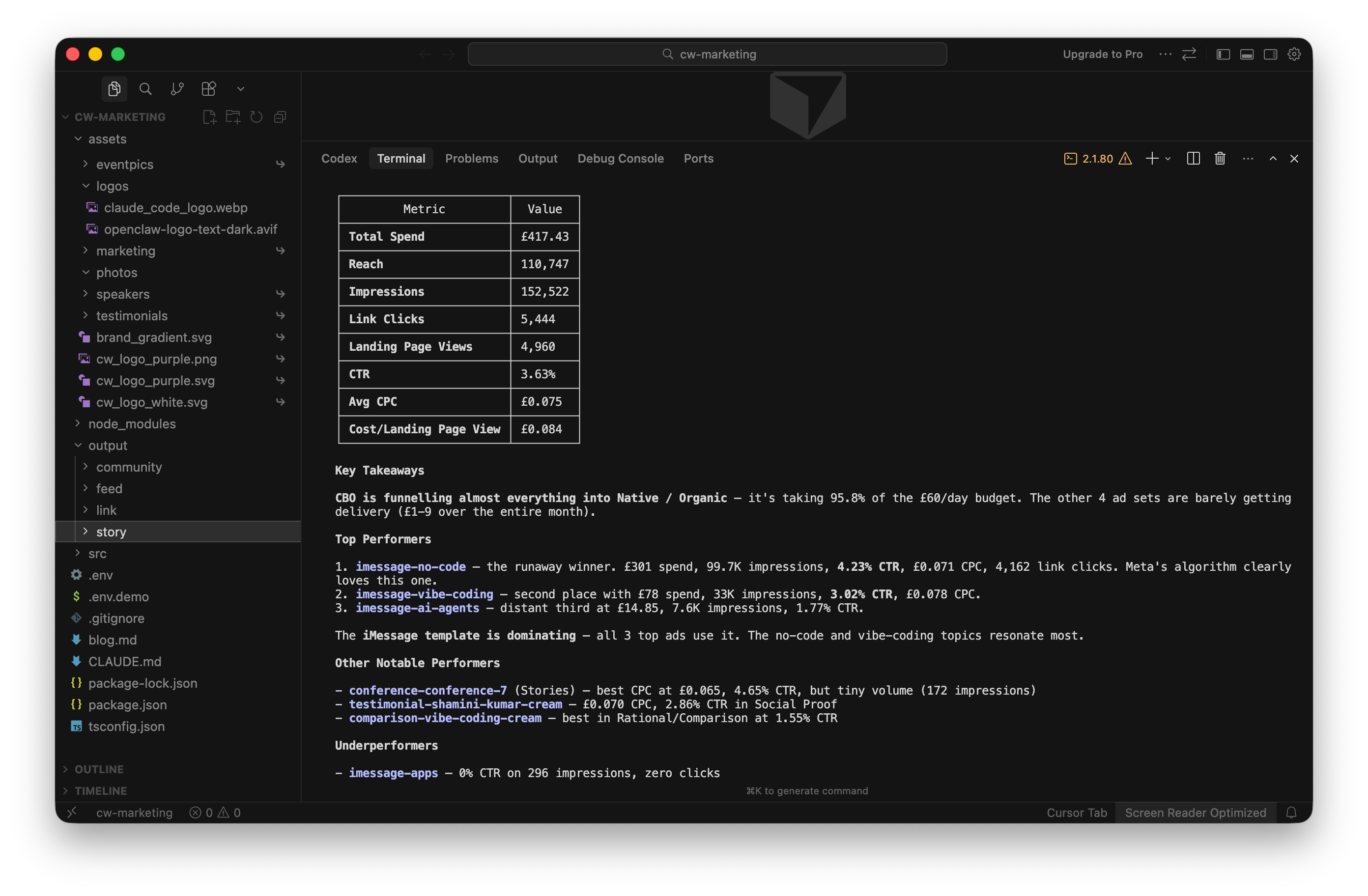
As I mentioned in my last issue, I built this whole system to be run locally on my machine only. To do anything or make changes I need to fire up Cursor + Claude Code and get chatting.
But I found myself wanting to automate some of these review tasks. I just wanted them to run every day and send me an update with recommended improvements I could accept or reject. Basically to act like a human ad manager.
Initially I decided to try out the new Claude Code /loop feature, which runs your prompts on a schedule.
This sounds great in theory - it could run a simple prompt every day to run the campaign monitor health check and make any updates. However it didn’t really work in practice for me.
The main issue I had with it is that in order for the schedule to run, Claude Code must be open and active in a terminal on your computer.
I’m often travelling around and my machine isn’t constantly on, with the terminal running ready to complete tasks.
Which got me thinking back to OpenClaw.
If you havn’t heard of OpenClaw yet, essentially it’s a open source AI agent that you can install on a server, and it can have multiple ‘agents’ which complete tasks for you. It’s very similiar to Claude Code in that it is able to orchestrate pretty much anything, and you can chat to it through apps like WhatsApp, Telegram or in my case Slack.
I tried OpenClaw (or Clawdbot or Molty as it was then known!) when it first came out.
It took ages to set up, and I felt like I was constantly debugging it trying to get it to do the most basic of tasks reliably.
But after reading about how many updates have been shipped to it, and seeing people doing interesting things using it recently I decided to give it another go.
My objective was to take the local Claude Code project I’d built locally and have it run autonomously on OpenClaw on a schedule, and for it to message me in a Slack channel whenever I needed to take action on something.
So with this in mind, I headed over to Hetzner and set up their cheapest server at $4 a month where I’d run my OpenClaw.
Then I headed back into Claude Code and explained what I was trying to do.
I gave Claude the details of the server I’d just created, it’s IP address etc and the official docs for installing OpenClaw.
As I was installing this on a totally clean VPS I decided to run Claude in ‘yolo’ or claude --dangerously-skip-permissions mode where it can bascially go off and do whatever it needs to do without asking for your permission for everything.
About 5 minutes later OpenClaw was up and running on the new box, and I proceeded to the next part of the mission… move the ads monitor from Claude Code into OpenClaw, and have it run on a schedule.
To do this, I explained everything about what I was hoping to achieve, and that I liked the local setup I had with Claude Code and wanted to replicate that on OpenClaw.
Claude then put together a complete plan to move the code from my local machine to running on OpenClaw.
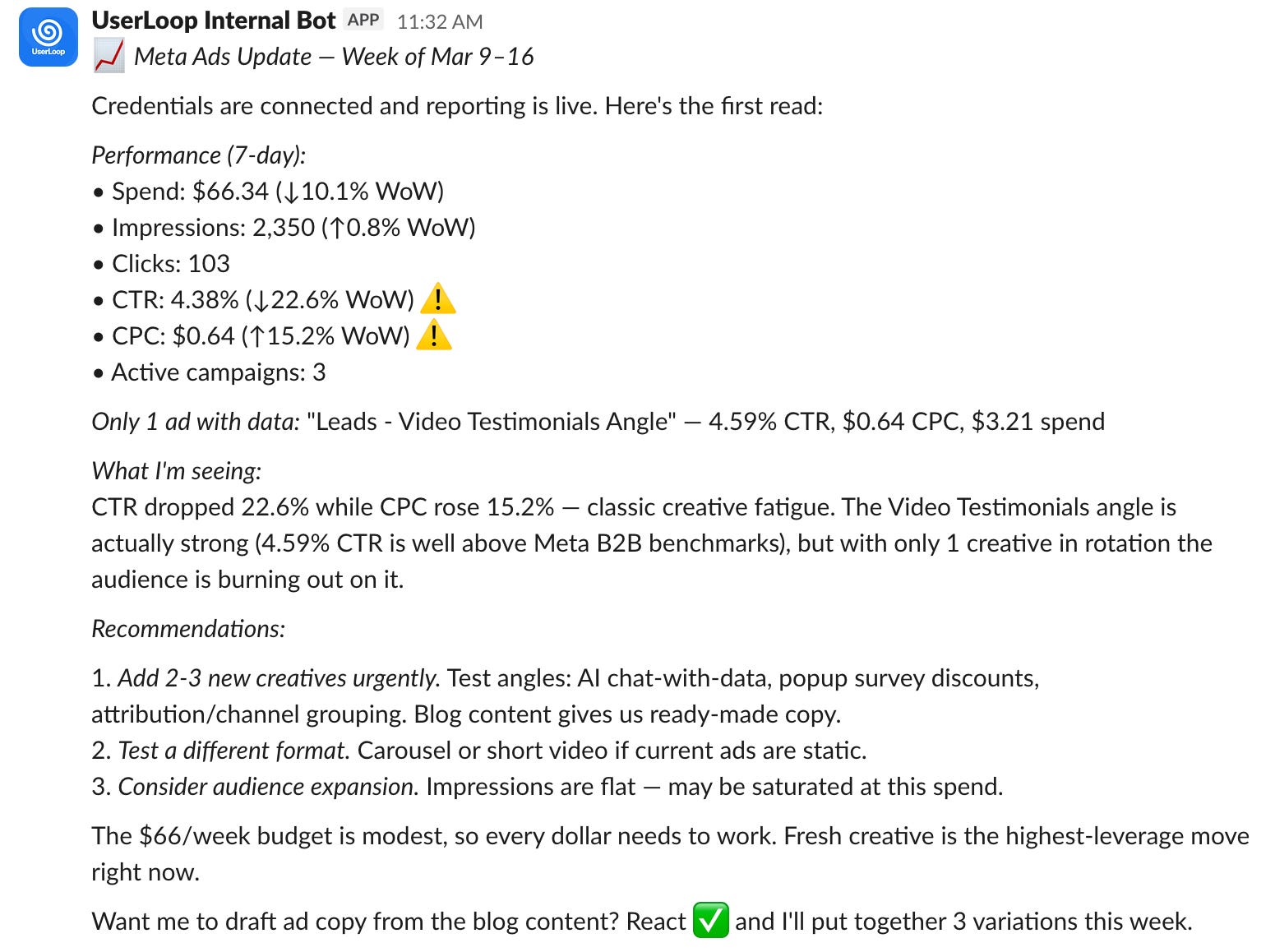
As part of setting this up, the main new thing I had to create was a private Slack app which would be able to post to my #marketing channel, and listen for my replies.
I also wanted to be able to approve and disapprove actions using emojis, like in the example above.
Here I have a report with a bunch of recommendations, with a request to creat 3 new ad variations if I add a checkmark emoji to the post.
It’s been working amazingly well for me so far! I get a daily report delivered into my Slack marketing channel of how each ad is performing and where to make adjustments, I can even chat back with the bot if needed so I’m finding I never even look at the OpenClaw UI.
I have since decided to take this even further, creating multiple agents on the OpenClaw to help me out with various marketing tasks I don’t enjoy doing
Writing Blog Posts
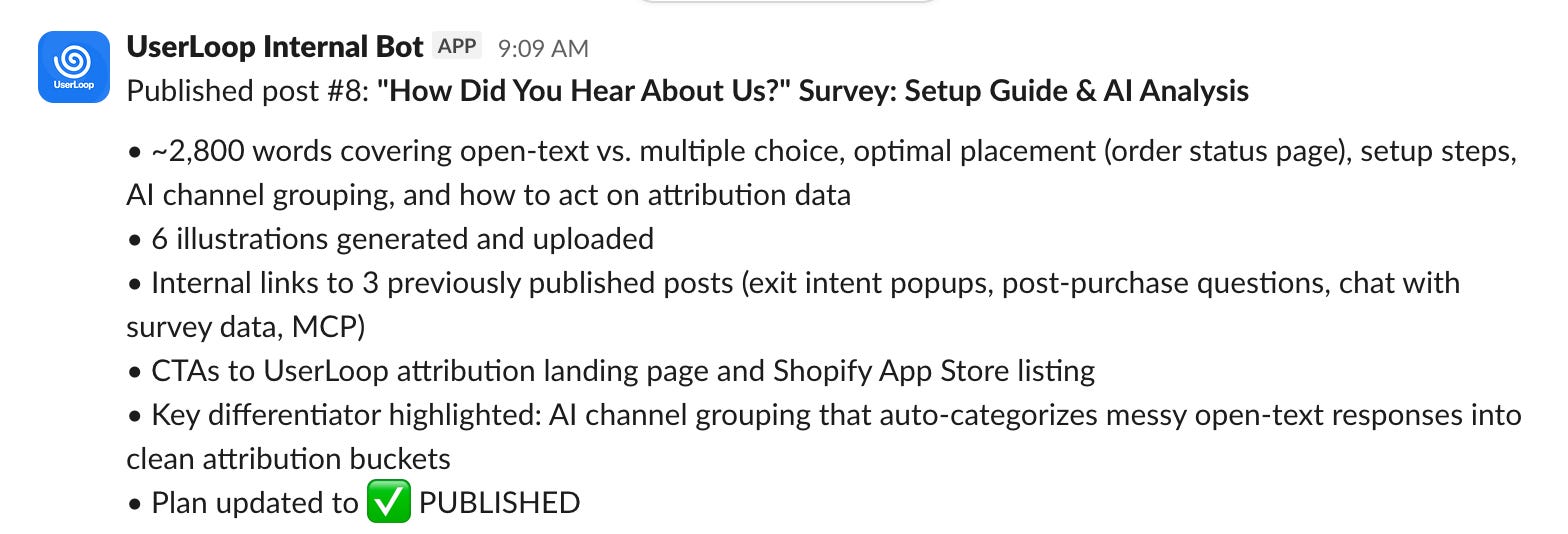
I set up a skill which writes and publishes new blog posts, even generating custom on brand illustrations and images using Gemini. I set up a monthly job where I create a content plan, then every day OpenClaw writes and publishes the post to my blog automatically.
Web Analytics
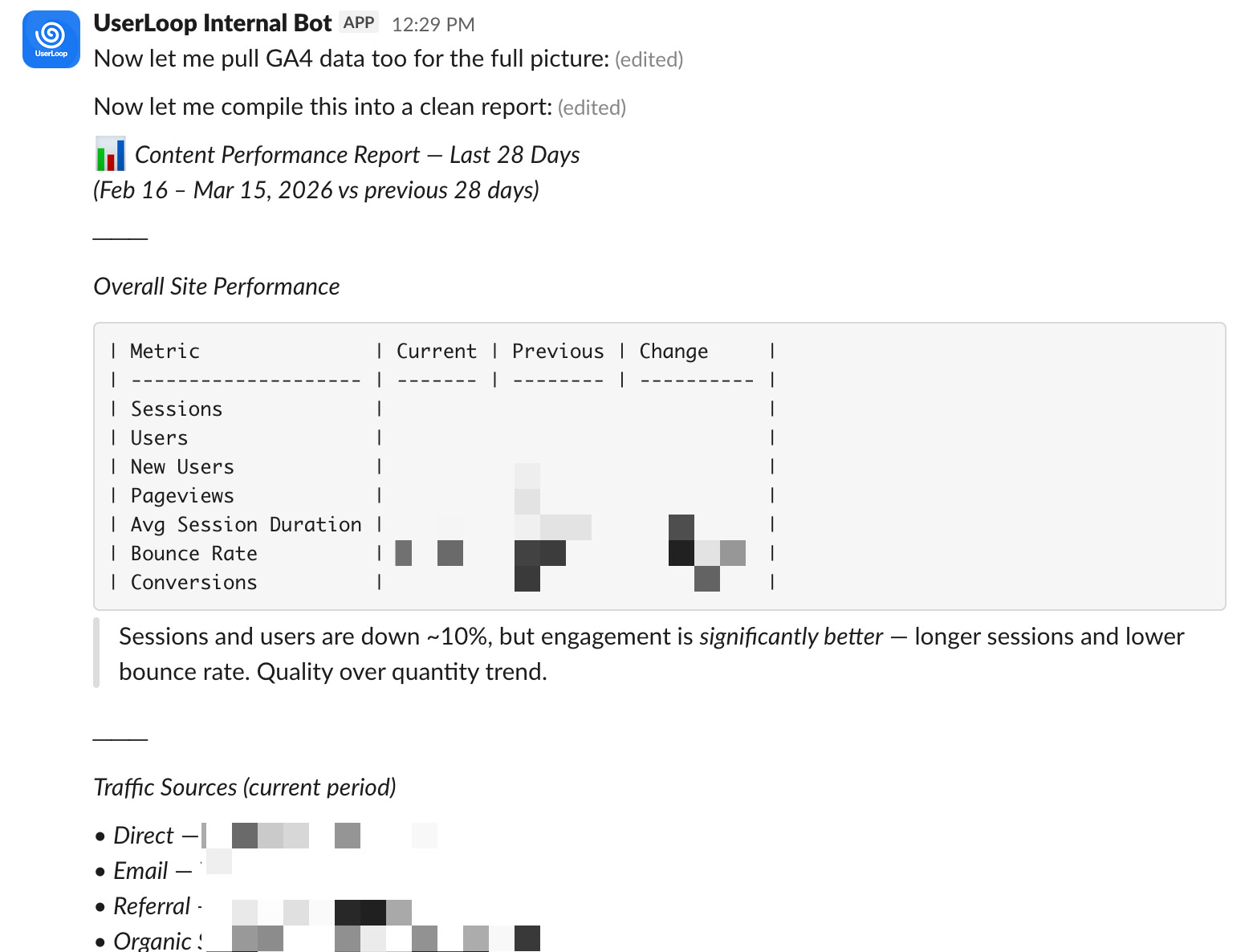
I’ve also given OpenClaw the ability to pull data from the Google Analytics API to see how all the marketing is performing and make adjustments as it goes.
I’m hoping that having access to this data helps with both improving our ad performance in optimising messaging, and our SEO through better blog posts targetting weak spots.
Social Media
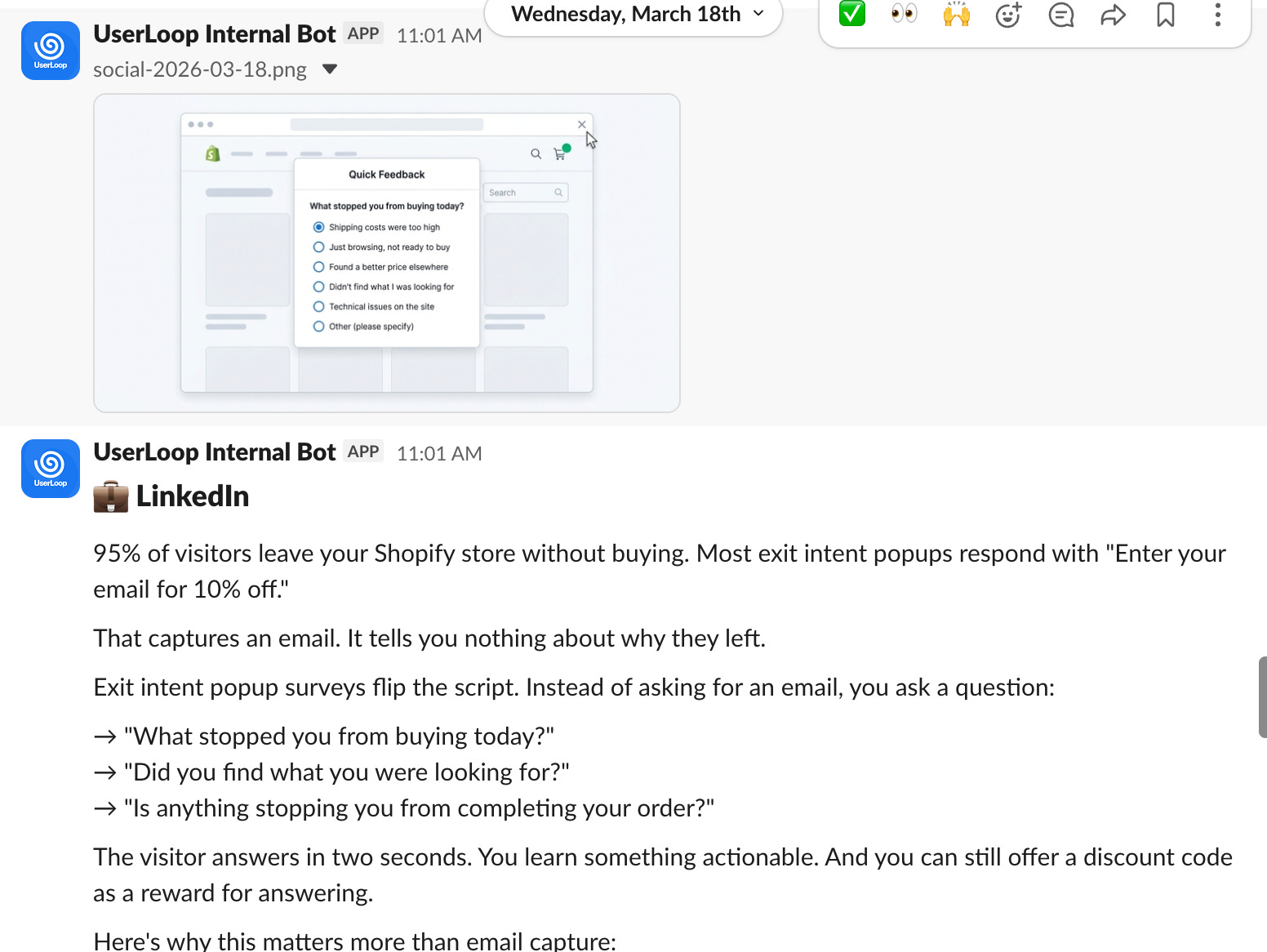
I built a social media agent which runs daily and suggests posts for LinkedIn and X based on all our other content like the blog, product updates, reviews etc.
It then writes the posts, generates images for them using Gemini and posts them into Slack for my approval, I can either add a ✅ emoji and the post will be published or request changes.
I think it will take a bit of time to refine the writing style of this but it seems to be working fairly reliably in the week or so I’ve had this up and running.
These are just a few of the agents I’ve worked on over the last week - please do let me know if you’d like me to make tutorials or guides on how to make your own versions of these by dropping me a reply to this post.
I’m also considering releasing all of the code behind this as a starter kit as many people have been asking me about it, more on that soon.
Hopefully this gave you some ideas of new marketing agents to try out to help you day to day. This technology is moving incredibly quickly and it can be hard to keep up but I am doing my best!
Are there any other topics you’d like me to cover? Drop me a reply, I love to hear from you!
That’s it for this week, happy building!
I'd love a tutorial on how to do this myself. Interested in integrating this with the ADs article.